For buildings shared by several households
One bill for everyone, a clear share for every household
Hesab Ketab uses the meter readings to split the electricity, water, sewage and trash bills between the households in a building, and shows how each household's share was worked out.
Billing period: Sawr 1405
A worked example
From the bill to each household's share
Electricity is split by what each unit used. An example: the electricity bill is 22,000 AFN, and the units used 1,100 kWh between them.
| Household | Used | Share |
|---|---|---|
Rahimi householdUnit 1 245 of 1,100 kWh, so 22.3% of the bill | 4,900 AFN | |
Ahmadi householdUnit 2 310 of 1,100 kWh, so 28.2% of the bill | 6,200 AFN | |
Nouri householdUnit 3 180 of 1,100 kWh, so 16.4% of the bill | 3,600 AFN | |
Haidari householdUnit 4 365 of 1,100 kWh, so 33.2% of the bill | 7,300 AFN | |
| Total | 22,000 AFN |
The shares always add up to exactly the bill, even when the division leaves decimals.
How it works
Every month, five steps
When the month's bills arrive, open a billing period and work through these steps in order.
Meter readings
Enter the number each meter shows now. The app finds the previous reading itself and works out this period's consumption.
Enter the bills
Enter the amount of the electricity, water, sewage and trash bills. Add a photo or PDF of the bill if you like.
Calculate
Each household's share is calculated and shown with the details of how it was worked out.
Finalize the period
Once you have checked the numbers, finalize the period. After that its figures no longer change, and any mistake is corrected with an adjustment.
Record payments
Record what each household pays. Anything unpaid stays on the household's balance for the next period.
Android and web
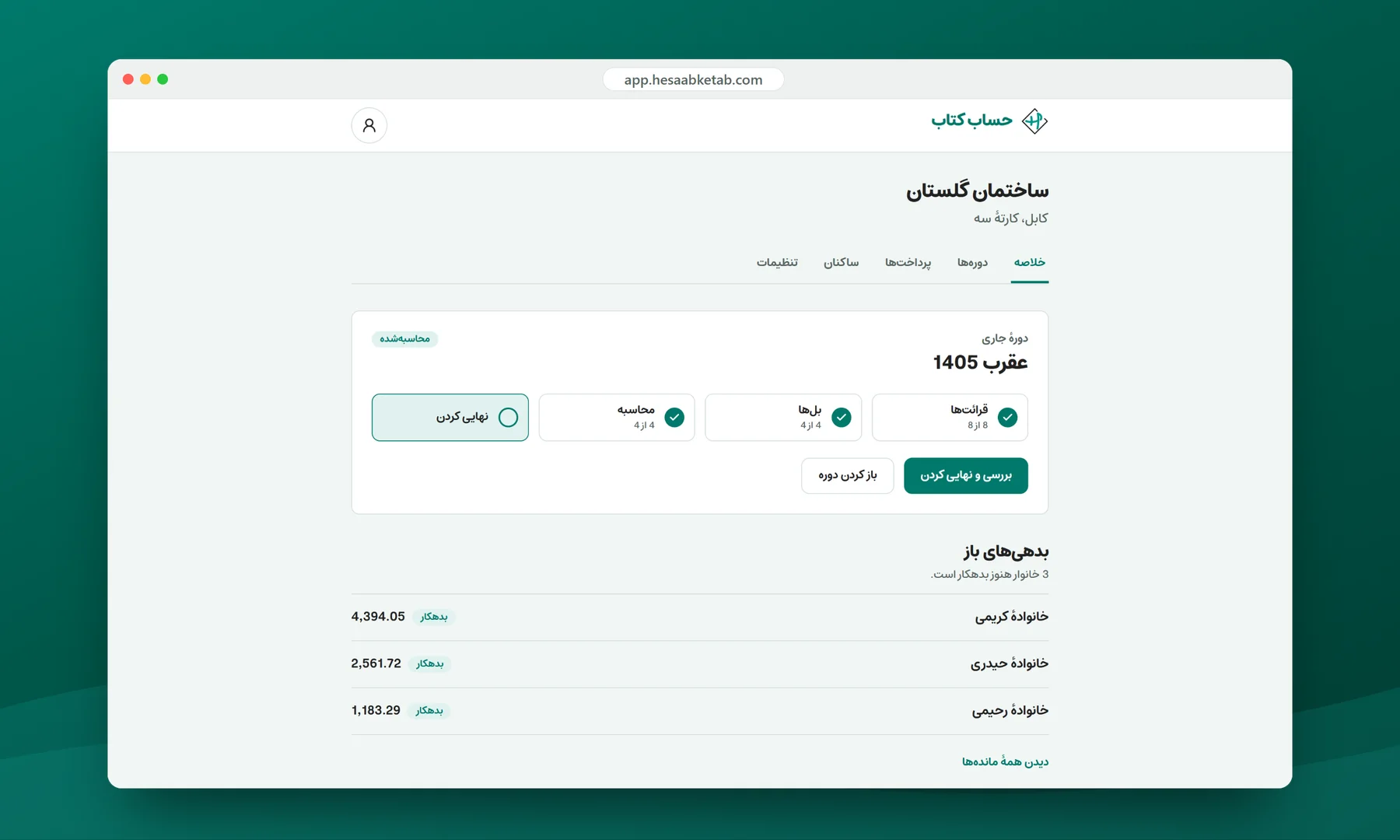
A look at the app
Screenshots of the Android app with a sample building. The names and amounts are made up, and the app itself is in Dari.
01 / 06
This month at a glance
See which households still owe.
Splitting bills
Each bill is split its own way
The rules neighbours agree on are applied the same way every month.
Electricity bill
You choose one of two methods for each building.
By use
Every kWh has the same price, and each unit pays for what its submeter used. If your building's bill has a flat rate, pick this one.
The same price for every kWh
Tiered rate
Each household's own use is priced through the tiers, and the rest of the bill is divided by use, so the more a household uses, the higher its price per kWh.
The price per kWh rises with use
- A vacant unit's usage is paid either by the owner or by everyone; you choose.
- The app only divides the amount you enter and does not check Breshna's bill.
- Water bill and the water pump
- Water is split by the number of people in each household. The water pump's share of the electricity bill is split the same way, per person.
- Trash bill
- Split equally between all households.
- Arrears
- If a bill includes unpaid amounts from earlier periods, they are shown separately so you can decide how they should be paid.
- A household moving out
- If a household leaves before the bill arrives, its share is estimated from last period's amount so it can settle up on the day. If the real share turns out higher, the owner pays the difference.
- Adjustments
- If you find a mistake after a period is finalized, correct it with an adjustment. The period's figures and history stay as they were.
For neighbours
Everyone's share is open, each household's payments are private
The building manager invites you to your household. Every neighbour can see each household's share of the shared bills and how it was worked out, but whether a household has paid, its partial payments and what it still owes stay private from the other neighbours.
- Each household's share of the shared bills is visible to everyone once the period is finalized.
- A household's payments, amount paid and outstanding balance are visible only to that household and the building's managers.
- Dates follow the Afghan solar calendar, for example 20 Aqrab 1405.
- You get a notification when a new statement is ready or a payment is recorded, and a reminder before the payment deadline.
- Electricity bill310 of 1,100 kWh
- 6,200 AFN
- Water bill5 of 18 people
- 1,000 AFN
- Trash billOne share of 4 households
- 200 AFN
- Paid
- 5,000 AFN
Due date: 15 Jawza 1405
Set up your building
Register the units, households and meters once. After that, each month you only enter the meter readings and the bill amounts.
Works in the browser on a computer or a phone, and there is an Android app. A building can have several managers, and statements can be printed or saved as a PDF. The app itself is in Dari.